
Verity Mod explained
What Is Verity Mod? A Clear Minecraft Guide to Features and Editions
What is Verity Mod? It is a Minecraft companion mod built around Verity, a small yellow AI character that can respond to players, follow configured interactions, and add a story-like presence to a Java Edition world. The name is also used for separate Bedrock add-on listings, so the first useful answer is to identify the edition and file type.
This guide explains what the mod does, what it does not prove, how Java and Bedrock releases differ, and how to check a source before installing. It is an informational overview, not a claim that every Verity file works on every device.
Short answer
What Is Verity Mod in Minecraft?
Verity Mod is a Minecraft companion experience centered on an in-world character called Verity. The Java Edition project describes a small intelligent yellow sphere that can interact with a player, react to prompts, and support a more conversational style of play. That makes it different from a texture pack or a simple decorative mob: the appeal is the interaction layer and the character's responses.
The phrase can be confusing because search results mix Verity JE for Java with Bedrock add-on pages and mobile listings. A Java .jar, a Bedrock .mcaddon, and an app or APK listing are separate release paths. Treat the edition, loader, Minecraft version, and source page as part of the definition whenever you ask what Verity Mod is. The current Java snapshot checked on October 18, 2026 lists `verity-6.0.0-beta.9.jar` for Forge and Minecraft 1.20.1, with a verified Modrinth file size of 257,904,342 bytes.
A character-first mod
The core idea is an interactive companion in the world, with dialogue and reactions that make exploration feel more personal.
Edition changes the answer
Java uses a loader and .jar file. Bedrock uses an add-on package and a different activation flow. Similar names do not make the files interchangeable.
Version facts need a source
A project page can change independently from Minecraft's own release. Check the file page, loader, supported game version, and review date together.
How it works
How Does Verity Mod Work in a Minecraft World?
Use this model to understand the experience before downloading a file. It separates the character concept from the technical requirements that make a release load.
The mod adds an in-world companion
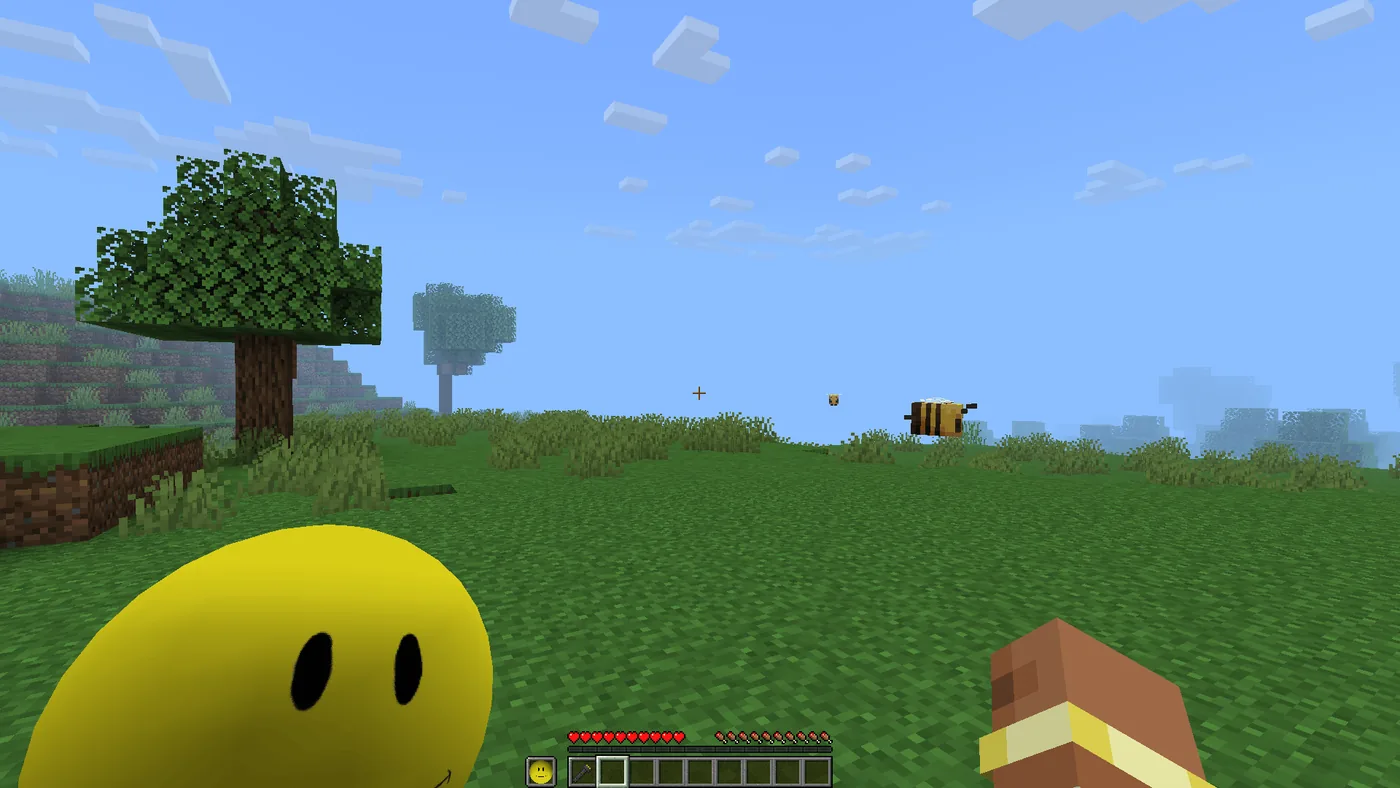
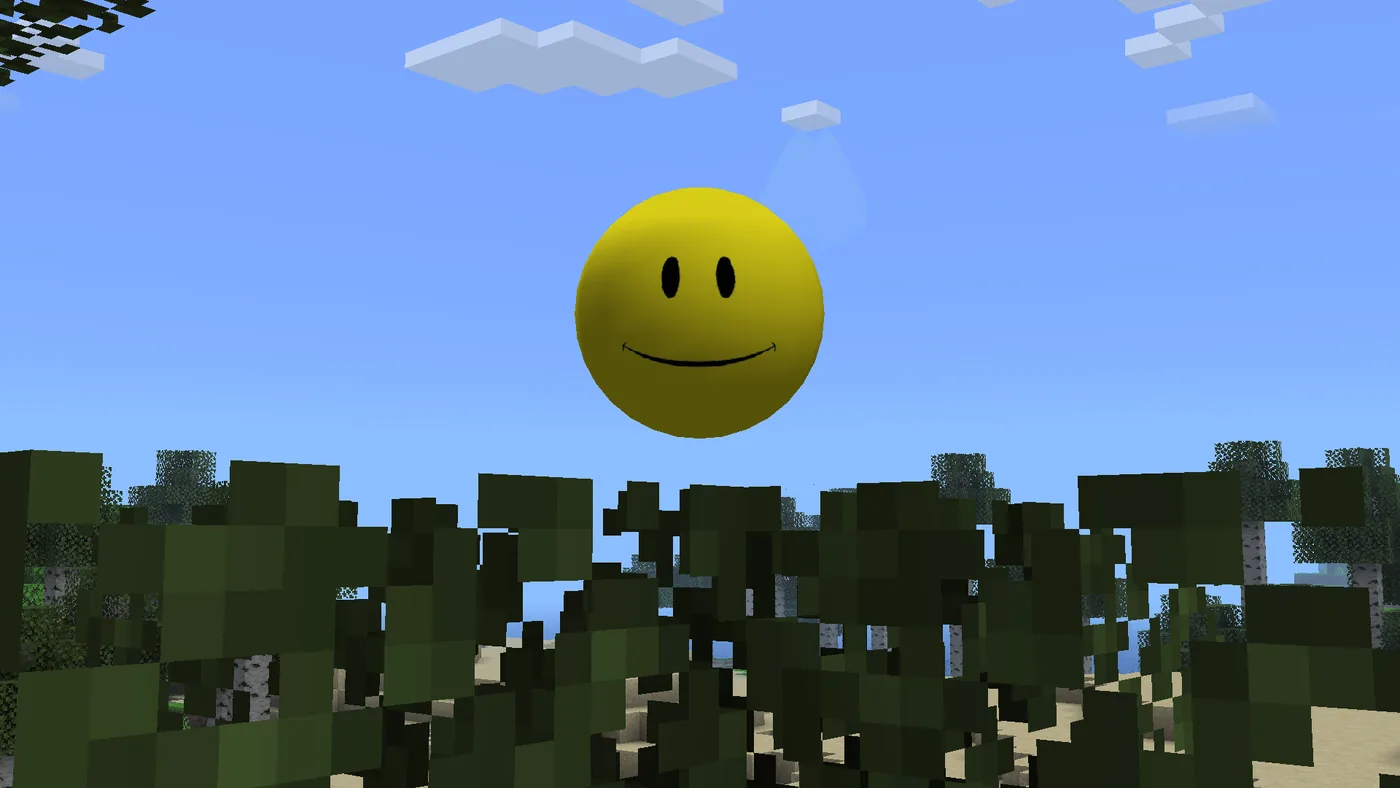
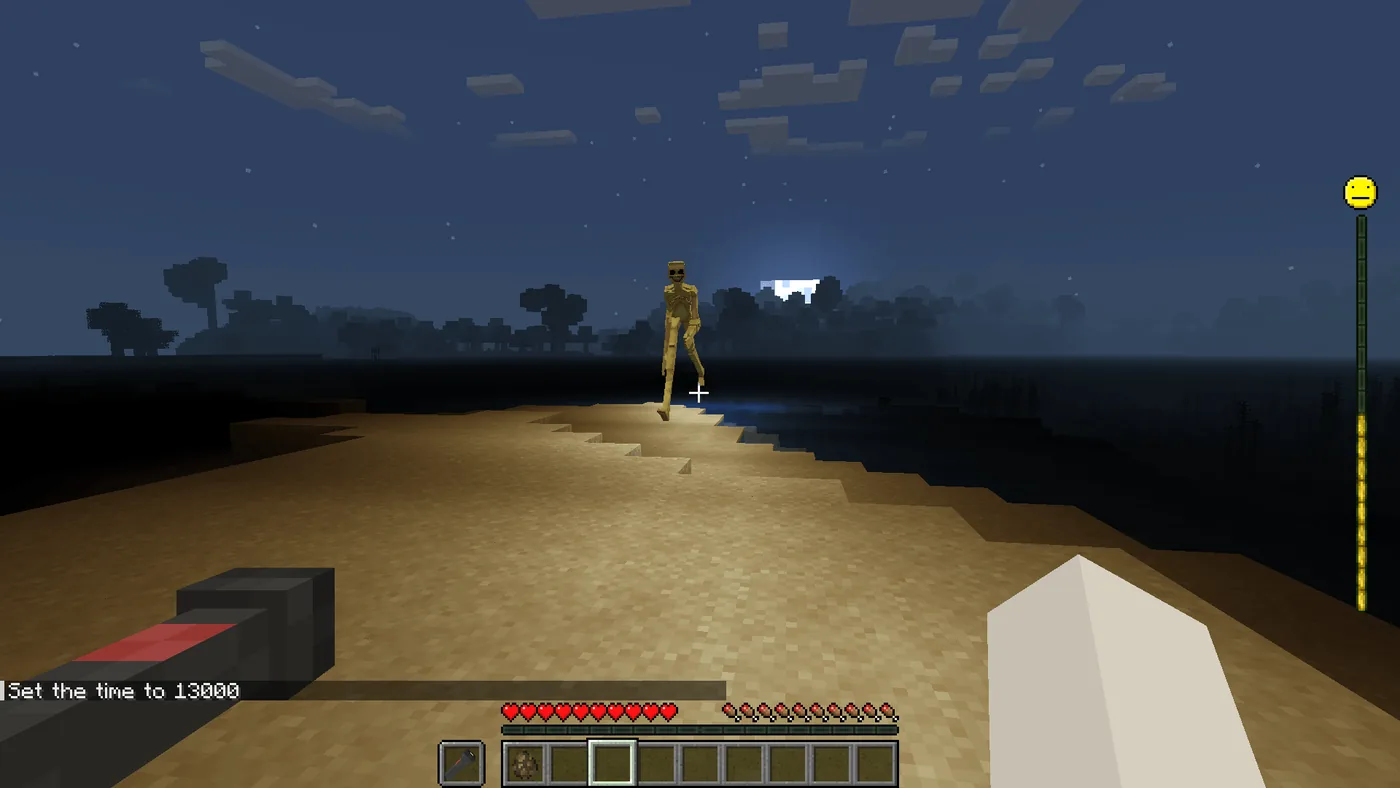
After a compatible Java profile loads the mod, Verity appears as a character or entity that can be encountered in the world. The screenshots show the character in a normal Minecraft scene, not only in a launcher preview.
Interaction is the main feature
Verity can respond to configured prompts or player actions. The exact commands, voice options, or AI behavior depend on the release and its configuration, so do not assume every version exposes the same controls.
The loader controls compatibility
A Java mod file is only one part of the setup. Match Forge or another named loader, Minecraft version, dependencies, and the profile's mods folder before judging whether the mod works.
A test world keeps the experiment reversible
Create a copied world or clean profile first. This lets you check dialogue, entity behavior, performance, and conflicts without risking a main save.
The source page supplies the missing details
Read the maintained project page for release notes, supported versions, configuration requirements, and known limitations. A search snippet cannot establish compatibility.
What you can see
The Visual Evidence Shows a Companion, Not a Universal AI Promise
The real project screenshots used on this page show Verity inside Minecraft scenes: a character appears near the player, a dialogue moment is visible, and another scene shows the feature in context. Those images are useful evidence for the intended experience, but they are not proof that every build has identical behavior or that a screenshot represents a Bedrock file.
The phrase AI companion should also be read precisely. It describes the style of interaction presented by the project; it does not guarantee a specific model, response quality, voice mode, privacy policy, or always-online service. Check the project documentation for what is local, what requires a key or service, and what settings are available in the exact release you install.
When comparing pages, look for a named project, a release date, a file type, a supported Minecraft version, and an installation path. A page that only repeats latest, free, or APK without these facts is not enough to identify what Verity Mod is.
Edition check
Java Verity Mod vs Bedrock Verity Add-on
Use the table before clicking a download button. It prevents the most common mistake: treating a shared name as a shared package.
Feature boundaries
What Verity Mod Does Not Automatically Mean
A page about what Verity Mod is should also state its limits. A Java release does not become a Bedrock add-on by renaming the extension. A Bedrock listing does not prove Java loader compatibility. A project screenshot does not prove that a particular file supports your Minecraft build, and a current Minecraft release does not automatically update a third-party mod.
The latest verified Java file in this site's snapshot is `v6.0.0-beta.9`, released September 3, 2026, for Forge/Minecraft 1.20.1. It is labeled beta, so readers should treat it as a source-specific compatibility fact rather than a promise of stable support for every current Minecraft version. The direct Modrinth file URL was checked with HTTP 200 and the expected Java archive MIME type; the source page remains the place to recheck future changes.
If you need Bedrock, use the separate Bedrock source path. The CurseForge page was unavailable to this check because it returned Cloudflare 403, so this guide does not invent a direct Bedrock file URL or claim a newer Bedrock version. That distinction is part of answering the question accurately.
Common confusion
Mistakes to Avoid When Researching Verity Mod
These checks keep an informational search from turning into a mismatched or stale install.
Confusing Verity with every search result
The name can refer to Java, Bedrock, PE, community pages, or unrelated results. Read the platform label and project identity.
Renaming a file
Changing .jar to .mcaddon, or changing a ZIP extension without creator instructions, does not convert the package.
Calling a beta stable
The reviewed Java file is beta. Preserve that label and check the exact Minecraft and loader target.
Treating screenshots as compatibility proof
Screenshots show the intended feature. They cannot confirm dependencies, performance, online requirements, or support for your profile.
Continue with the right intent
Related Verity Minecraft Pages
Choose the next page based on the question you actually need to solve.
Verity Mod Java Download
Use this when you already know you need the Java .jar path, loader, and file checks.
Open Java guideVerity Mod Bedrock Download
Use this for the separate Bedrock add-on source and import workflow.
Open Bedrock guideHow to Install Verity Minecraft
Use this when the question has moved from what it is to how to install it.
Read install guideVerity Minecraft Versions
Use this to compare the reviewed Java and Bedrock release snapshots.
Check versionsSources
Sources Checked for This Explanation
These pages support the project identity, Java release context, and edition boundaries. Source pages can change, so recheck the exact file before installing.
Verity JE project website
Project media and feature context used for the visual examples.
Open project siteVerity JE on Modrinth
Project identity, release channel, and Java platform context.
Open ModrinthVerified Java file URL
HTTP 200 Java archive checked on October 18, 2026; use the project page to confirm future releases.
View file sourceMinecraft Bedrock documentation
First-party context for why Bedrock add-ons use a separate workflow from Java mods.
Open documentationFAQ
What Is Verity Mod? FAQ
What is Verity Mod in Minecraft?
Verity Mod is a Minecraft companion experience centered on an interactive character called Verity. The Java project presents it as a small intelligent companion with dialogue or reactions, while Bedrock listings are separate add-on paths.
Is Verity Mod a real Minecraft mod?
Verity JE is listed as a Java Minecraft project on Modrinth and related project pages. Confirm the exact file, loader, Minecraft version, and source before calling a particular download compatible.
How does the Verity Mod AI companion work?
The mod presents Verity as an in-world character that can respond to prompts or player actions. The exact commands, voice behavior, services, and configuration depend on the release documentation.
Is Verity Mod available for Bedrock?
There are separate Bedrock add-on listings using the Verity name, but they do not use the Java .jar workflow. Check the Bedrock source page and do not rename a Java file into a Bedrock package.
What Minecraft version does Verity JE support?
The Java file verified for this guide is v6.0.0-beta.9 for Forge and Minecraft 1.20.1, released September 3, 2026. That is a source snapshot, not a guarantee for every newer Minecraft version.
Should I download Verity Mod from an APK mirror?
No general APK claim can establish the identity or compatibility of a Minecraft mod. Use a maintained project, store, or platform page and keep PE or mobile searches separate from Java mod downloads.