World seed guide
Minecraft Seeds: How to Choose and Test Java & Bedrock Worlds (2026)
Minecraft seeds are not a universal list of magic numbers. The useful seed is the one whose edition, game version, spawn area, nearby structures, and play goal match your world. This guide explains how to compare survival, island, village, biome, and version-specific seed ideas without treating an old screenshot as proof.
Use a maintained source or seed map for discovery, then create a copied test world before you commit a seed to a long-term save. Java and Bedrock can produce different terrain from the same number, and updates can change what a seed is good for.
Quick answer
What Do Minecraft Seeds Do?
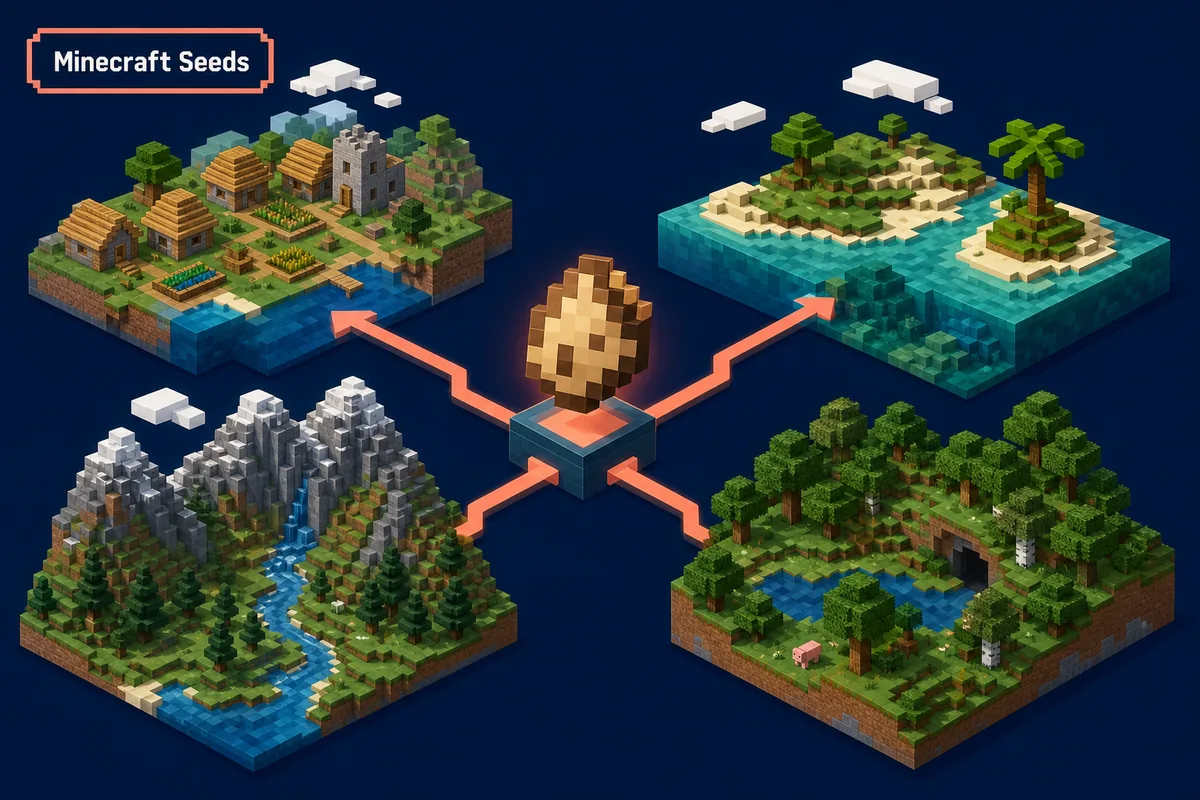
A Minecraft seed is an input used to generate a world. It can influence the terrain, biomes, structures, oceans, caves, and the area around a player's starting point. The number is only useful together with the Minecraft edition and version that generated it. Calling a seed the best Minecraft seed without those details leaves out the information a player needs to reproduce the result.
For a practical choice, start with a goal rather than a random list. A survival player may want wood, food, and a village close to spawn. Someone building on an island may care about coastline shape and nearby mainland. A player searching for a Bedrock seed or a version-specific seed needs an extra compatibility check before copying the number.
Treat every public seed as a lead to verify. Read the source notes, record the edition and version, inspect the starting area with a maintained map tool when appropriate, and open a copied world. This process takes longer than pasting a number, but it prevents a good-looking screenshot from becoming a frustrating main-world decision.
Seed number is only one input
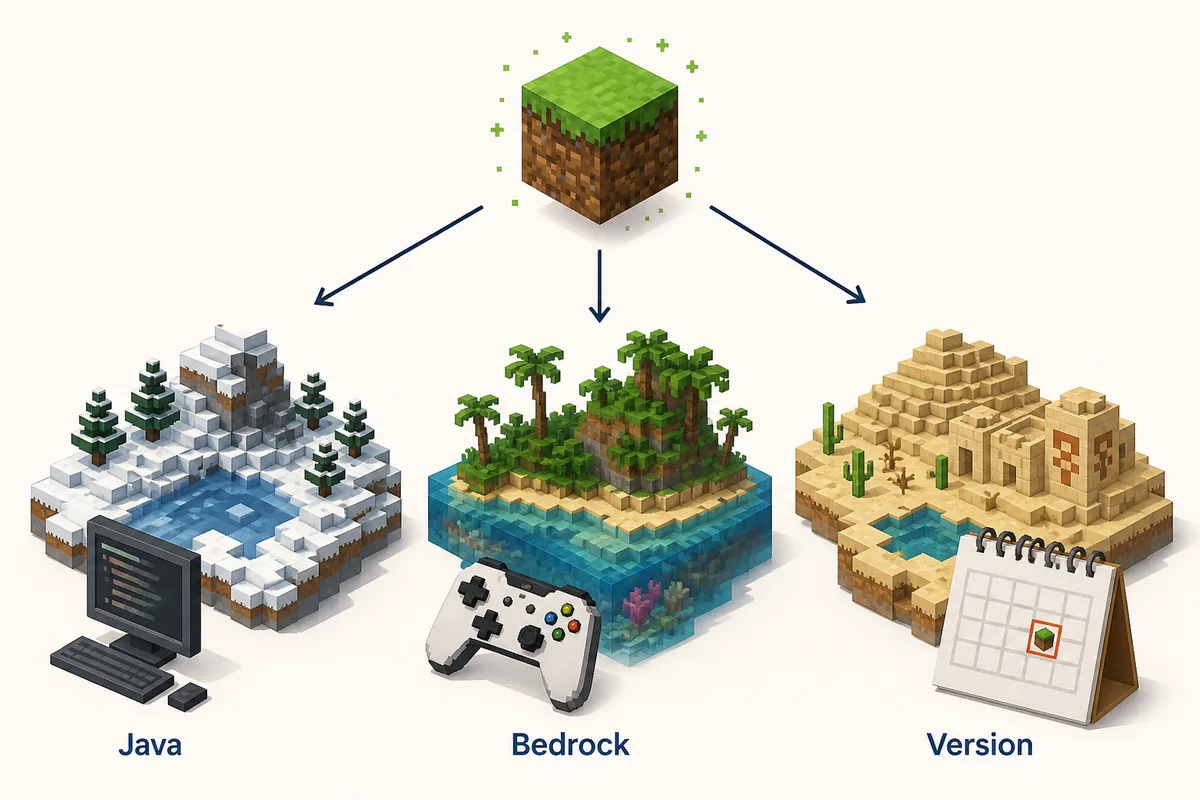
The same number can behave differently when edition, version, generation settings, or the tested area changes. Keep the surrounding context with the number.
Best depends on the goal
A village start, island start, mountain build, and survival resource start need different terrain. Compare the feature you actually want instead of chasing a universal ranking.
Test before the main save
Use a copied or temporary world to check spawn distance, structures, terrain, and playability. A screenshot cannot confirm the first ten minutes of a real world.
Five selection paths
How to Choose the Best Minecraft Seeds for Your Goal
Use these categories to turn a broad seed search into a short, checkable list. The categories are decision aids, not promises that a listed seed works across every release.
1. Survival-friendly starts
Look for a reasonable mix of wood, food, stone, and safe terrain near spawn. A dramatic cliff or rare biome may be memorable, but it is not automatically a comfortable first-day survival start.
2. Island and coastline worlds
Check the distance to trees, animals, villages, and mainland before choosing an island seed. An attractive island with no early resources may be better for a challenge run than a relaxed survival world.
3. Village and structure starts
Confirm what the source means by nearby. A village visible from spawn is different from a structure several hundred blocks away. Record the approximate distance and verify it in the same edition and version.
4. Biome and building goals
For a mountain, cherry grove, dark oak, desert, or snowy build, check the shape of the terrain as well as the biome label. A seed map can help you compare the wider area before you load a world.
5. Version-specific discoveries
A query such as Minecraft 26.3 seeds is tied to a release context. Keep the version in the title of your notes and recheck the source after world-generation changes instead of copying an unlabelled old seed.
Compatibility first
Four Checks Before You Use a Minecraft Seed
First, identify the edition. Java Edition and Bedrock Edition share the Minecraft name but do not guarantee identical terrain or structure results from the same seed. A page that says only Minecraft seeds is incomplete when it does not tell you which edition was tested. Use the site's Java vs Bedrock comparison when the platform itself is unclear.
Second, record the exact game version and any relevant world settings. A seed that was tested in one release may not create the same nearby feature after a generation change. This is why the phrase best Minecraft seeds for survival should be read as a dated recommendation, not a permanent guarantee. Keep a source date when you save a number.
Third, inspect the evidence. Prefer a creator's detailed post, a maintained seed map, or a source that shows the edition, version, coordinates, and what was actually checked. A cropped screenshot can show a village or island while hiding the distance, terrain problems, or the fact that the image came from another version.
Fourth, test the first stretch of the world yourself. Check the spawn point, food and wood access, nearby structures, terrain transitions, and the route you expect to play. If the seed will become a family, server, or long-term survival world, keep the test separate from the final save until the result matches the description.
Decision table
Minecraft Seed Checks by Use Case
Use the table to decide what evidence to collect before you open a long-term world. The final check should always happen in the edition and version you actually play.
Safe test flow
How to Test Minecraft Seeds Without Risking a Main World
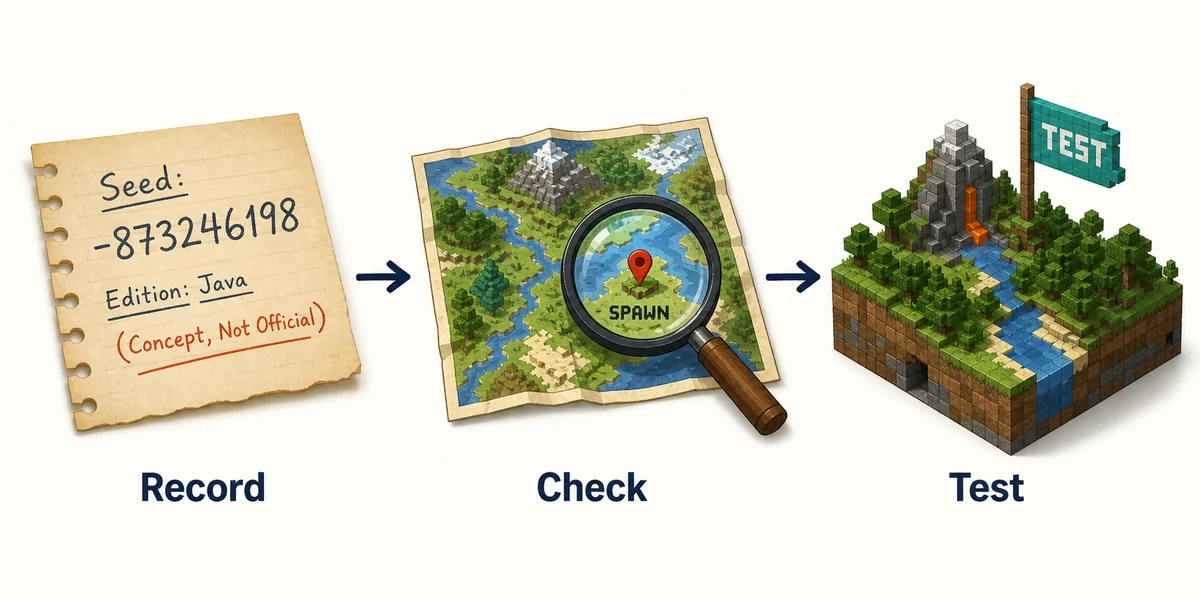
Start a small record before you open the game. Write the seed number exactly, the source URL, the claimed edition, the claimed Minecraft version, and the reason you saved it. If you are comparing several Minecraft island seeds or survival starts, give each one a short label so you do not mix the results later.
Next, inspect the wider area with a maintained map or source tool when its version coverage matches your edition. Use the map as a planning aid, not as a replacement for the game. Check the spawn marker, the structures you care about, and the approximate distance. If the tool does not support your version, say that the map is unverified rather than treating its picture as a guarantee.
Create a new temporary world or a copy of the world you intend to use. Enter the seed through the normal world-creation flow, confirm the edition and version, and avoid enabling unrelated experimental settings while you compare results. A clean test makes it easier to tell whether the terrain came from the seed or from a different configuration.
Play the opening route that matters to you. For survival, collect basic wood and food, look for shelter, and travel toward the claimed structure. For an island challenge, inspect the coast and the nearest resource route. For a biome build, walk far enough to see whether the terrain actually gives you a usable building area.
Only after the test matches the source should you make a long-term save, server world, or family world around it. Keep the seed record beside the version and edition. If an update changes the result, you can explain why the world differs instead of assuming that the number was typed incorrectly.
Troubleshooting
Six Minecraft Seed Mistakes That Create Bad Results
Most seed disappointments come from missing context. Fix the comparison before assuming the seed itself is broken.
Treating one list as permanent
A best-seed list is tied to the edition, release, and date that the author tested. Keep that context instead of copying the number into every future version.
Mixing Java and Bedrock
The same seed text is not proof of the same terrain. Read the edition label and test the world in the edition you actually use.
Trusting a screenshot alone
A screenshot can hide distance, missing resources, or a different version. Ask for coordinates and use a copied world to check the route yourself.
Confusing world seeds with crop seeds
Questions about pumpkin, wheat, melon, or potato seeds are farming questions. They do not belong in a guide about world-generation seeds.
Testing in the main save
World experiments can alter your plans and create clutter. Use a temporary or copied world until the seed meets your actual goal.
Calling a version-specific seed latest
A current-looking query or post date does not certify compatibility. Use a source date, release label, and local test, then explain the limitation.
Related Verity guides
Keep Seed Checks Connected to Edition and Version Context
These guides answer the neighboring questions that often appear while you compare a Minecraft seed or prepare a new world.
Minecraft Java vs Bedrock
Compare the editions before assuming that a Java seed, file, or workflow transfers to Bedrock.
Compare editionsMinecraft Versions
Keep a seed note tied to the Minecraft and Verity version context you actually tested.
Review versionsHow to Install Minecraft
Use the source-first install workflow when a new world is part of a larger mod or add-on setup.
Open install guideMinecraft Resource Packs
Separate world-generation decisions from Java and Bedrock resource-pack file checks.
Open pack guideMinecraft Bedrock Maps
Use this guide when you need a finished Bedrock world file rather than a seed that generates terrain.
Open Bedrock maps guideMinecraft Trial Chambers
Use the new guide to find an underground chamber, prepare, and understand Trial Keys and Vaults.
Read the Trial Chambers guideReference pages
Minecraft Seed Sources and Tools to Check
Use these links as starting points for definitions and map-based inspection. They do not replace a test in the edition and version you play.
Minecraft Help
Official Minecraft Help entry point for seed-related support and terminology.
Open Minecraft HelpChunkbase Seed Map
A map-based planning tool with version notes, common errors, and stated limitations. Check coverage before relying on a result.
Open Seed MapFAQ
Minecraft Seeds FAQ
What is a Minecraft seed?
A Minecraft seed is an input used to generate a world. It influences terrain, biomes, structures, and the area around spawn, but the result must be understood together with the edition and Minecraft version that generated it.
What are the best Minecraft seeds for survival?
There is no permanent best seed for every player. Start with a seed whose tested edition and version match yours, then check wood, food, shelter, nearby structures, and the route you want to play in a copied world.
Can I use a Java seed in Bedrock?
Do not assume that a Java seed produces the same terrain or structures in Bedrock. Some numbers may look similar across editions, but the source's edition label and a local Bedrock test are the reliable checks.
Why did my Minecraft seed generate a different world?
Check the seed text, edition, Minecraft version, world settings, and spawn area first. A version or edition mismatch can change the result, and a screenshot may show a different coordinate or configuration.
How do I find good Minecraft island seeds?
Filter for the island shape you want, then check trees, animals, food, mainland distance, and structure access. Use a maintained map for a first look and a temporary world for the actual route.
How many Minecraft seeds are there?
The useful answer is not a fixed list for every version. Minecraft seed values form a very large input space, while the terrain and structures that matter can change with edition and world-generation updates. Focus on reproducible context rather than a permanent count.